Named Entities Connections in AML Check [Update Announcement]
![Named Entities Connections in AML Check [Update Announcement]](https://storage.ghost.io/c/42/a0/42a0c84e-954d-4bfd-bf00-5316d7c12343/content/images/size/w2000/2026/05/See-entities-behind-every-risk-signal--1-.png)
A new update to AML Check is rolling out today. It already tells you how risky a wallet or transaction is — this release adds the why, showing the specific entities a wallet or transaction is connected to.
What's New
AML Check now includes a Named Entities Connections section for unclustered addresses and transactions. Instead of seeing only that a wallet has exposure to “Dark Market” or “Gambling” categories, you now see the actual entity names – with USD volumes and hop distance for both received and sent directions.
Note: This applies to unclustered addresses and transactions only. For clustered ones, the existing view remains unchanged.
The Named Entities Table
Above the entity table, the risk signal breakdown now appears as Received and Sent diagrams, with a percentage split across entity categories. Below the risk signal breakdown, the new 'Entities' section lists every known entity the address or transaction is connected to. Each row includes:
1. Entity Name and Type;
2. Received USD and Hop Distance;
3. Sent USD and Hop Distance.
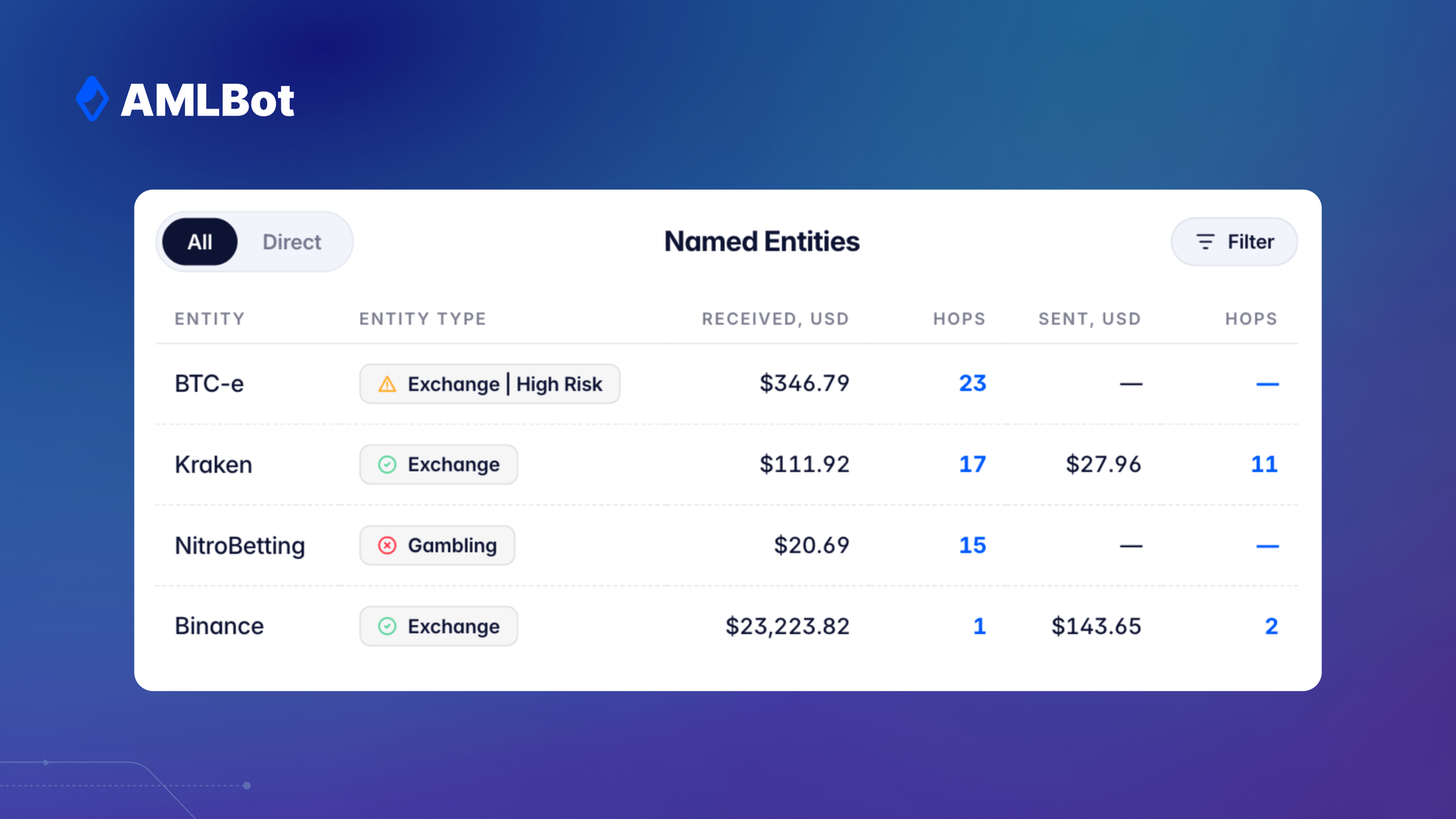
So instead of knowing a wallet has exchange exposure, you see that it received funds from one exchange at 17 hops, or that it sent the bulk of its volume to gambling-linked addresses. The hop distance matters: a direct connection to a high-risk entity is a different risk profile than one with 23 steps removed.
A filter lets you narrow by entity name, category, risk level, or direct connections only.
For Transactions: Sender and Receiver Connections
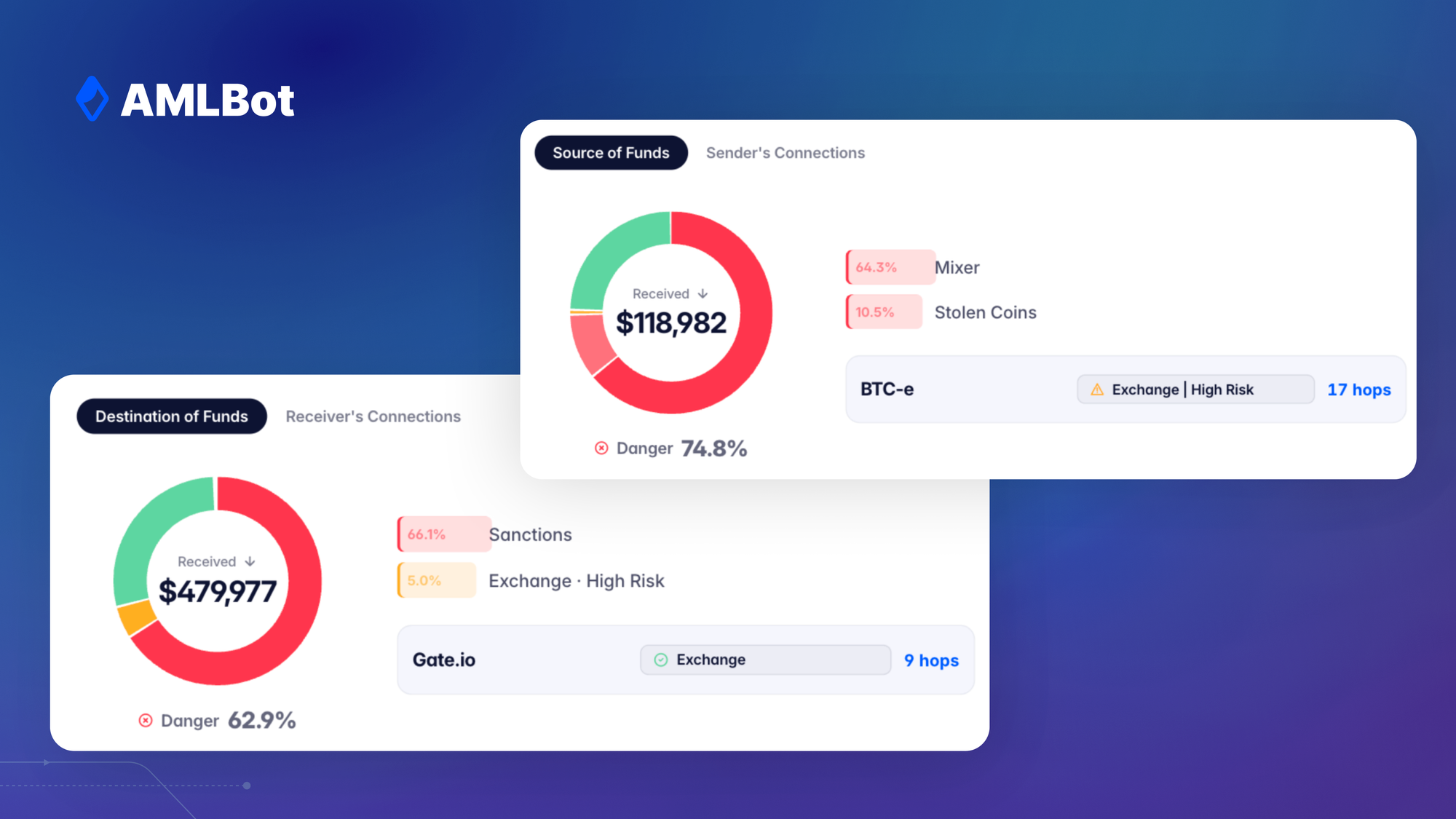
For transactions with unclustered counterparties, Named Entities Connections works across both sides. The 'Source of Funds' tab shows what the sender's funds passed through before the transaction. The 'Destination of Funds' tab shows where the money went and what the receiver is connected to. Both include the same entity table and risk signal diagrams, giving you a complete picture of both counterparties in a single check.
See It in Your Dashboard
Named Entities Connections is live now for PRO+ accounts. Run any check in Fast or Advanced mode and it will appear automatically for unclustered addresses and transactions.
-AMLBot Team